
MT4 vs MT5 is less a question of which platform is newer than of which one fits a trader’s tools and markets. For Forex MT4 vs MT5, both handle currency trading well. MT5 adds more timeframes, order types, markets and a much faster strategy tester. MT4 keeps the largest library of ready-made Expert Advisors and indicators.
The industry is moving toward MT5. A Brokeree analysis of more than 900 brokerages found that 68% offer MT5, compared with 40% for MT4. MetaQuotes now maintains MT4 with security fixes only, adding no new features.
This guide compares the two platforms feature by feature, explains what changes for automated trading and shows which suits beginners, professionals and EA users. It also covers how to use both at Taurex.
What Is the Difference Between MT4 and MT5?
MT4 was developed primarily for Forex trading, while MT5 was built as a multi-asset platform with additional charting, order management, and analysis tools. MT5 is not simply an updated version of MT4. The platforms use different programming languages and are not fully compatible with each other’s trading tools.
Here is how their main features compare:
| Feature | MT4 | MT5 |
| Timeframes | 9 | 21 |
| Built-in indicators | 30 | 38 |
| Graphical objects | 31 | 44 |
| Pending order types | 4 | 6 |
| Programming language | MQL4 | MQL5 |
| Account mode | Hedging | Hedging or netting |
| Economic calendar | Not built in | Built in |
| Depth of Market | Not built in | Built in |
These are standard platform specifications of MT4 and MT5, although available features can depend on the broker and platform version.
1. User interface and ease of use
MT4 has a simpler interface with fewer built-in tools, which can make it easier for beginners to navigate. MT5 offers more features and customisation options, so it may take longer to get comfortable with the layout.
MT4 can also run on older hardware, while MT5 uses a 64-bit architecture and supports multi-threaded processing. As For Traders explains, the difference in system requirements may matter if you’re using an older computer. For most traders, though, the choice comes down to which interface feels more comfortable to use.
2. Charting tools and technical indicators
MT5 offers more built-in charting options than MT4, including:
- 21 timeframes instead of nine
- 38 built-in indicators instead of 30
- 44 graphical objects instead of 31
These extra options give you more flexibility when analysing price movements, but you may not need them all. If you mainly use a few timeframes and familiar indicators, MT4 may provide everything you need.
One practical advantage of MT5 is its built-in economic calendar, which helps you check upcoming releases without leaving the platform. Traders learning Forex technical analysis or how to read charts can apply those skills on either platform.
3. Automated trading and Expert Advisors
Both platforms support automated trading through Expert Advisors (EAs) and custom indicators. MT4 has a large library of established MQL4 tools, which makes it appealing to traders who already rely on custom strategies.
MT5 uses MQL5, a different programming language with its own development tools. Although some trading concepts carry over, MT4 EAs and indicators generally need to be rewritten or adapted before they can run on MT5. New automation projects may benefit from MT5’s testing capabilities, while traders with working MQL4 systems may prefer to stay with MT4.
4. Order types and trade execution
Both platforms support market orders and pending orders, but MT5 offers two additional pending order types: Buy Stop Limit and Sell Stop Limit. It also supports different order-fill policies, including Fill or Kill, Immediate or Cancel, and Return, depending on the instrument and broker.
Account handling is another difference. MT4 uses a hedging model, which allows separate positions in the same instrument. MT5 supports both hedging and netting, although the available mode depends on your broker’s account setup. Under netting, positions in the same instrument are combined into one net position. This can affect strategies that rely on opening multiple separate trades in the same direction or opposite directions.
Execution speed depends on more than the platform itself. Server location, network latency, liquidity, and broker execution conditions can all affect how quickly orders are filled and the price you receive during volatile periods. Understanding the different types of Forex orders can help you choose an order that fits your trading plan.
5. Supported financial markets
MT4 is commonly used for Forex and CFDs, while MT5 can support a wider range of markets, including stocks and futures. However, the instruments you can trade depend on what your broker offers through each platform. Moving to MT5 does not automatically give you access to every market it supports.
6. Mobile trading experience
Both platforms offer mobile apps for iOS and Android, allowing you to monitor charts, manage positions, and place orders away from your computer. MT5 also provides features such as additional order types and access to more charting tools, although the exact options can vary by app version and broker.
If you mainly check prices and manage existing trades on your phone, either app may be sufficient. If you regularly use advanced order types or need more analysis tools while away from your desk, MT5 may be the more practical choice.
MT4 vs MT5 for beginner Forex traders: Which is easier to learn?
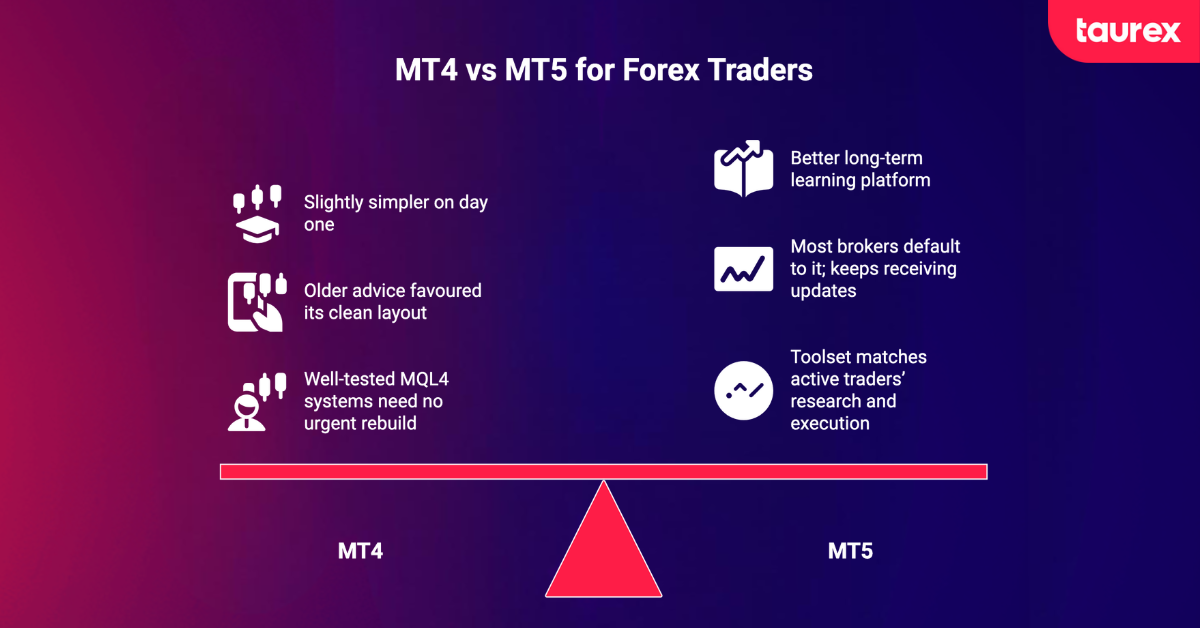
MT4 is slightly simpler to learn at first, but MT5 may be the better long-term choice for many beginners. MT4 has a more basic interface, while MT5 offers more built-in tools and continues to receive updates. As brokers increasingly support MT5, learning to use it can also give new traders access to a wider range of features as their skills develop.
Try both platforms with a demo account before choosing one. Place a few practice trades, set a stop loss, and explore the charting tools to see which interface feels more comfortable. Reviewing Forex trading rules can also help you build good habits before risking real money.
MT4 may feel easier at first, especially if you only need basic Forex tools. However, MT5 offers more room to explore additional features as you gain experience.
MT4 vs MT5 for professional Forex traders: Which is better?
MT5 is often the stronger choice for professional traders because it offers more advanced testing tools, order features, and access to multiple markets. Its main advantages include:
- Advanced strategy testing: MT5 uses a multi-threaded strategy tester and supports testing with real tick data when available.
- Depth of Market and order handling: It provides Depth of Market tools and additional order execution options, although the available data and execution features depend on the broker.
- Multi-asset trading and an economic calendar: Traders can monitor Forex pairs such as USD/JPY alongside other available markets and check scheduled economic events within the platform.
MT4 can still be the better fit for Forex scalpers and professionals who rely on established MQL4 Expert Advisors or custom indicators. If your strategy already works well on MT4, switching to MT5 may not offer enough practical benefit to justify adapting your tools.
Can you trade more markets on MT5 than MT4?
Yes. MT5 supports a wider range of asset classes, but the markets available to you depend on your broker. MT4 is commonly used for Forex and CFDs, while MT5 can also support stocks, futures, and options where these instruments are offered. MT5 is better suited to exchange-traded instruments.
At Taurex, instrument availability can vary by platform and account type. Check the symbol list in your trading terminal before building a strategy around a specific market. Major pairs such as EUR/USD and GBP/USD are available on both platforms.
What is the difference between MT4 and MT5 for automated trading?
Automation is one of the biggest differences between MT4 and MT5, especially for traders who use Expert Advisors (EAs) and custom indicators. The main differences include:
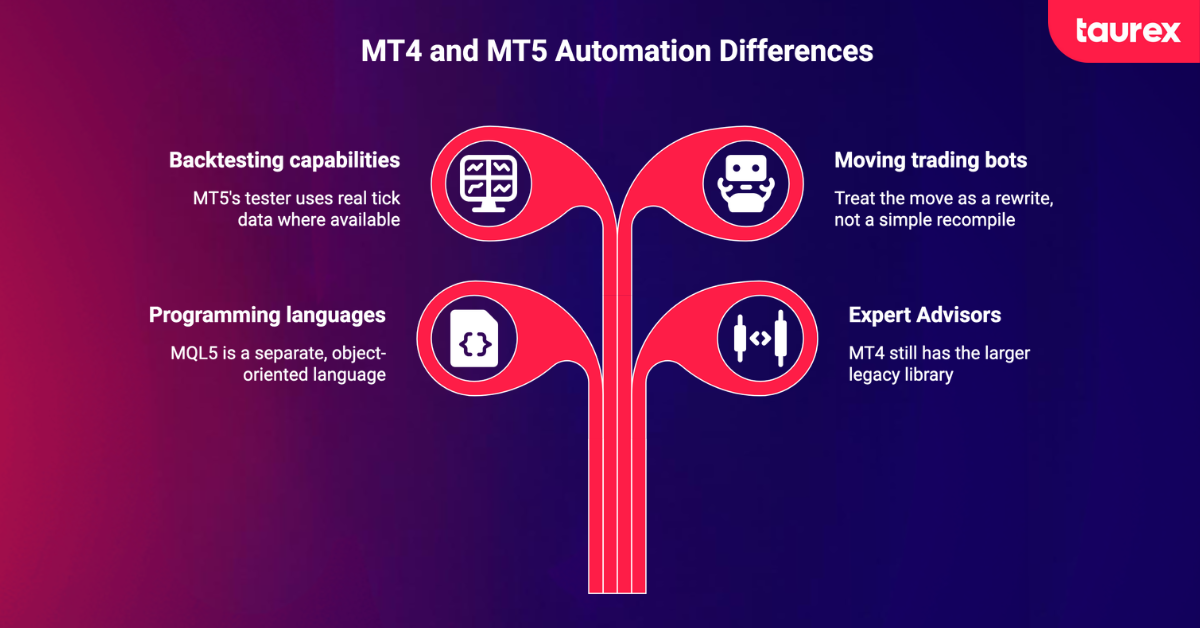
- MQL4 vs MQL5 programming: MT4 uses MQL4, while MT5 uses MQL5, a separate language with different features and trading logic. MQL5 distinguishes between orders, deals, and positions. MQL4 code cannot run on MT5 without being adapted or rewritten.
- Expert Advisors and custom indicators: MT4 has a large library of established EAs and indicators. MT5 also offers a growing selection, but its programs are not directly compatible with MT4. Simple indicators may need only minor changes, while more complex systems may require a full rewrite.
- Backtesting speed and capabilities: MT4’s strategy tester runs tests on a single symbol and uses a single testing process. MT5 supports multi-threaded testing, multi-currency strategies, and optimisation across processor cores or the cloud. It can also use real tick data when available, allowing for more detailed strategy testing.
- Moving existing trading bots from MT4 to MT5: Treat the move as a development project rather than a simple recompile. Adapt the code, check that the strategy behaves as expected, and forward-test it on a demo account before using real money. Testing over several weeks, including periods of major economic announcements, can help reveal issues.
Can you use MT4 and MT5 with the same Forex broker?
Many Forex brokers offer both MT4 and MT5, but the platforms use separate accounts and login credentials. An MT4 login will not work in the MT5 terminal, and some account types may only be available on one platform. Check the available options before registering.
If you want to use both platforms with Taurex, contact the support team to confirm whether you can open MT4 and MT5 accounts under the same client profile. When comparing brokers, consider other factors too, such as fees, available markets, and regulation.
Can you switch from MT4 to MT5?
Yes, you can switch from MT4 to MT5, but you will need to open an MT5 account and set up your trading tools again. Follow these steps to make the move easier:
- Rebuild your charts, templates, and watchlists in MT5.
- Find MT5 versions of your indicators or have them adapted to MQL5.
- Adapt your Expert Advisors (EAs) and test them on a demo account before trading live.
- Review your position sizing and risk-to-reward calculations, taking into account whether your MT5 account uses hedging or netting.
Your existing MT4 account can remain active, so you do not need to switch immediately. Take time to check that your indicators, automated strategies, and trading settings work as expected before relying on them with real funds.
Choosing Between MT4 and MT5 Based on Your Trading Needs
MT4 and MT5 suit different trading styles, so the right choice depends on the tools you use and your plans for the future.
- MT4: A good fit for traders who prefer a simpler interface or rely on existing MQL4 Expert Advisors (EAs).
- MT5: Better suited to traders who want more charting tools, access to multiple asset classes, and advanced strategy testing.
Try both platforms with a Taurex demo account to explore their features, test your strategy, and find the one that suits your trading style before risking real money.
FAQs
Is MT4 better than MT5 for Forex trading?
MT5 is the stronger all-round option for many traders because it offers more tools and supports additional markets. MT4 may be a better fit if you focus on Forex and rely on existing MQL4 Expert Advisors (EAs).
What is the main difference between MT4 and MT5?
MT4 focuses mainly on Forex and CFDs, while MT5 supports multiple asset classes and offers more timeframes, additional order types, and more advanced strategy testing tools.
Is MT5 faster than MT4?
MT5 generally offers faster strategy testing and optimisation. Live trade execution depends on other factors, including broker infrastructure, liquidity, and your internet connection.
Can I use MT4 indicators on MT5?
Not directly in most cases. MT4 indicators use MQL4, while MT5 uses MQL5. You will generally need an MT5 version or an adapted version of the original indicator for the newer platform.
Can I use the same account on MT4 and MT5?
Usually not. Each platform generally requires a separate trading account, even when both are offered by the same broker. Check with your broker for its specific account options.
Is MT5 better for beginners?
MT5 can be a good starting point because it offers more built-in tools and supports a wider range of markets. MT4 has a simpler interface, which some beginners may find easier to learn.
Can you trade Forex on both MT4 and MT5?
Yes. Both platforms support Forex trading, including major, minor, and exotic currency pairs where offered by the broker.
Which MetaTrader platform is better for automated trading?
MT5 offers more advanced strategy testing and optimisation tools, making it a strong choice for developing new automated systems. MT4 may be preferable if you already rely on MQL4 EAs that you do not want to rewrite.